Free and open source. Your voice is recognised by a program on your own disk, so nothing goes out to any server while you are speaking, and there is no account to make.
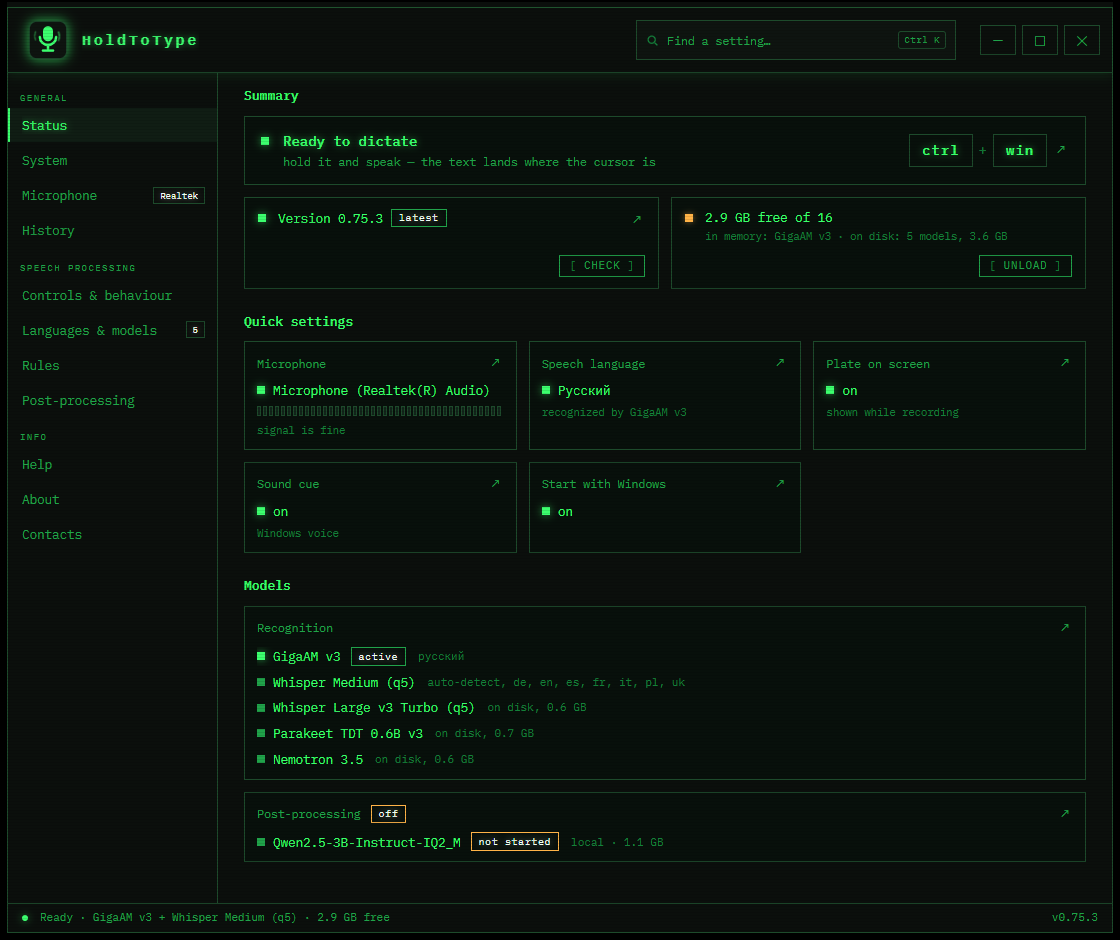
What matters is what happens to the words in the second after you let go, and that all of it happens on the machine in front of you.
Whisper covers everything out of the box. Give a language something narrow and it can be twenty times faster, with fewer mistakes.
A streaming model fills the plate while you are still talking, then settles into the final text when you let go.
Speak one language and type another: always, on request, or with a countdown on the plate.
Prompts remove fillers, fix punctuation or change the tone, run by llama.cpp on your own disk.
Replacements, a dictionary of rare words, voice commands, and different behaviour per application.
The folder is the program. Copy it to a stick with its models; deleting it is the whole uninstall.
Everything applies the moment you change it. There is no Save button and nothing to confirm.
The first screen answers that before you open a single setting. When something is wrong it says so in words, in red, with a button that takes you to the place that fixes it.
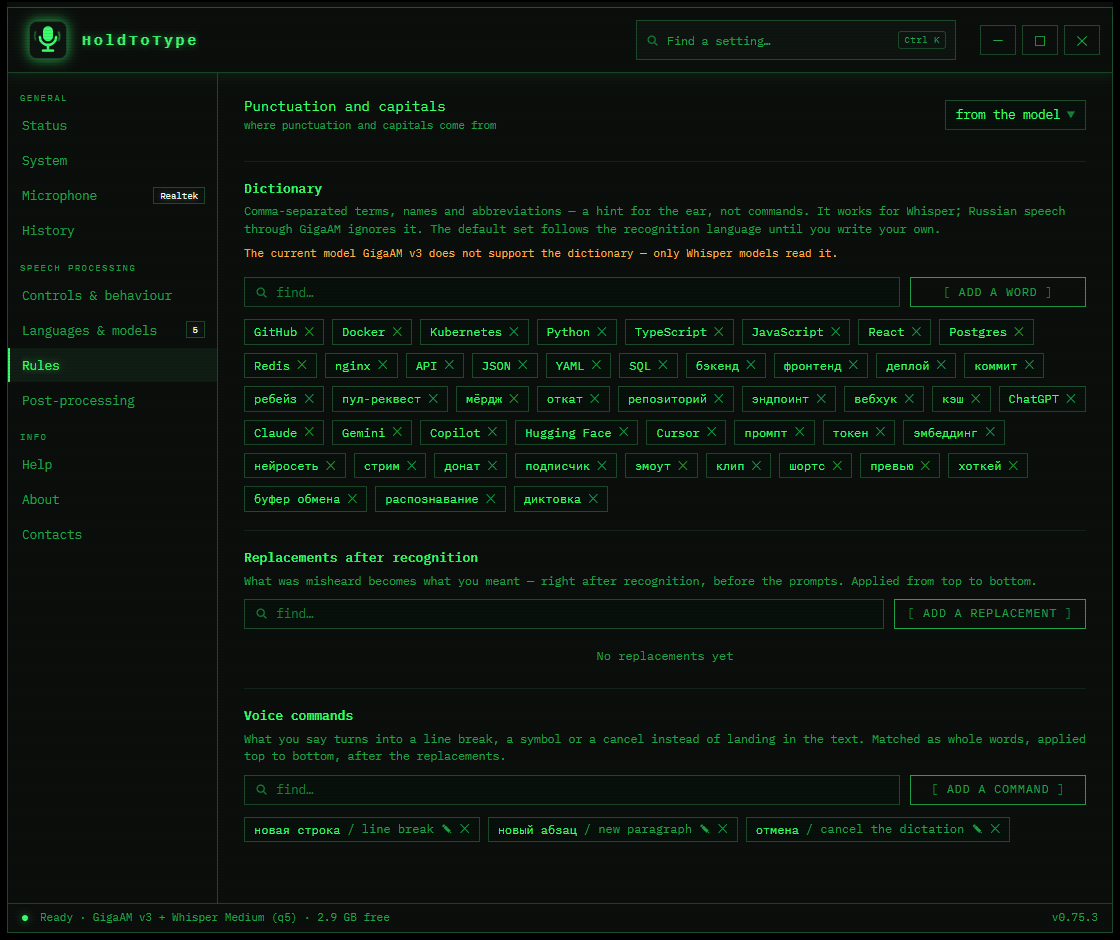
Replacements fix names and in-house terms the moment they are recognised. A dictionary hints rare words before recognition. Voice commands add a paragraph or cancel the dictation outright.
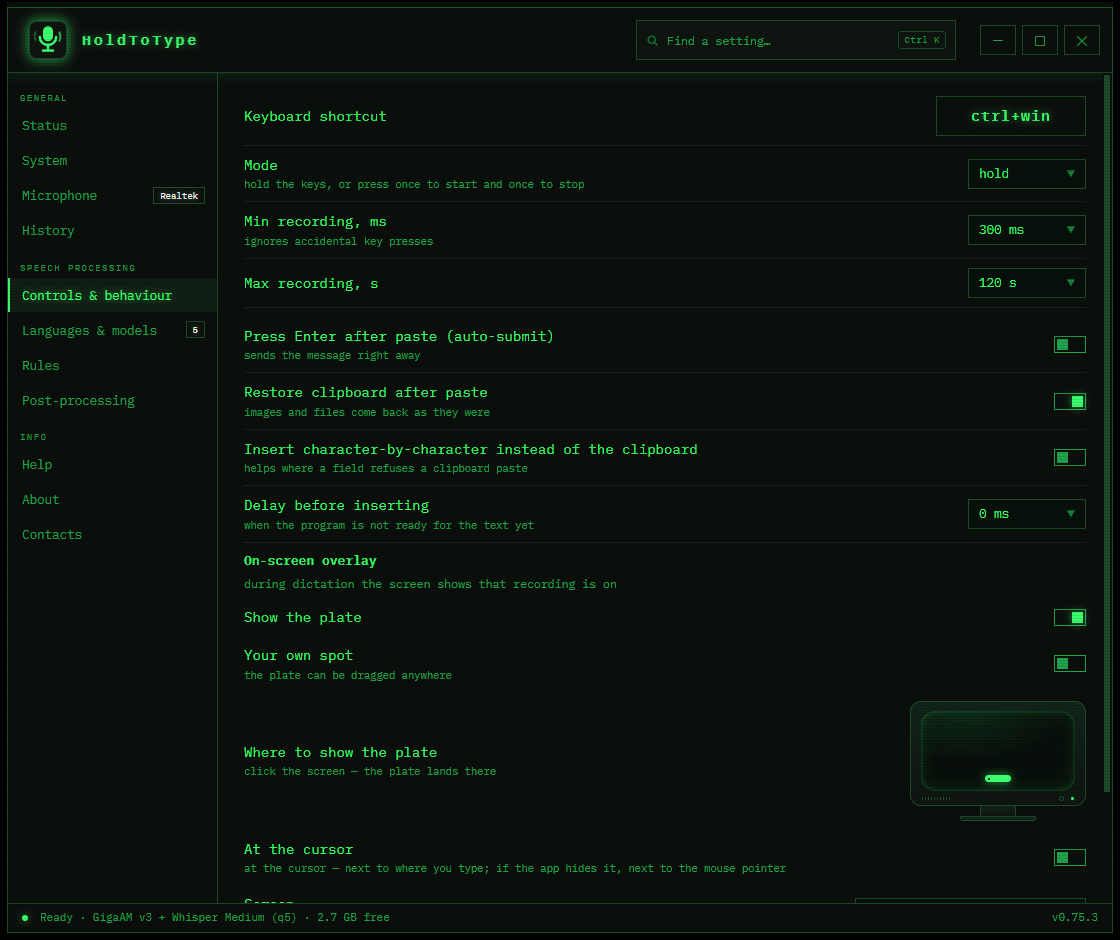
Hold the keys or toggle them. Paste through the clipboard or type character by character. Press Enter afterwards, or never. Show the plate at the bottom, at the caret, or not at all.
The recording is dropped the moment it has become text. The text goes into your window and is kept only if you asked for a history. There is no telemetry, no account, and no server of mine for any of it to reach.
What leaves, and whenTwo keys and one sentence is the whole test. Deleting the folder is the whole uninstall.
Download HoldToType holdtotype